Sessionless agent patterns that scale tool integrations across cloud and desktop
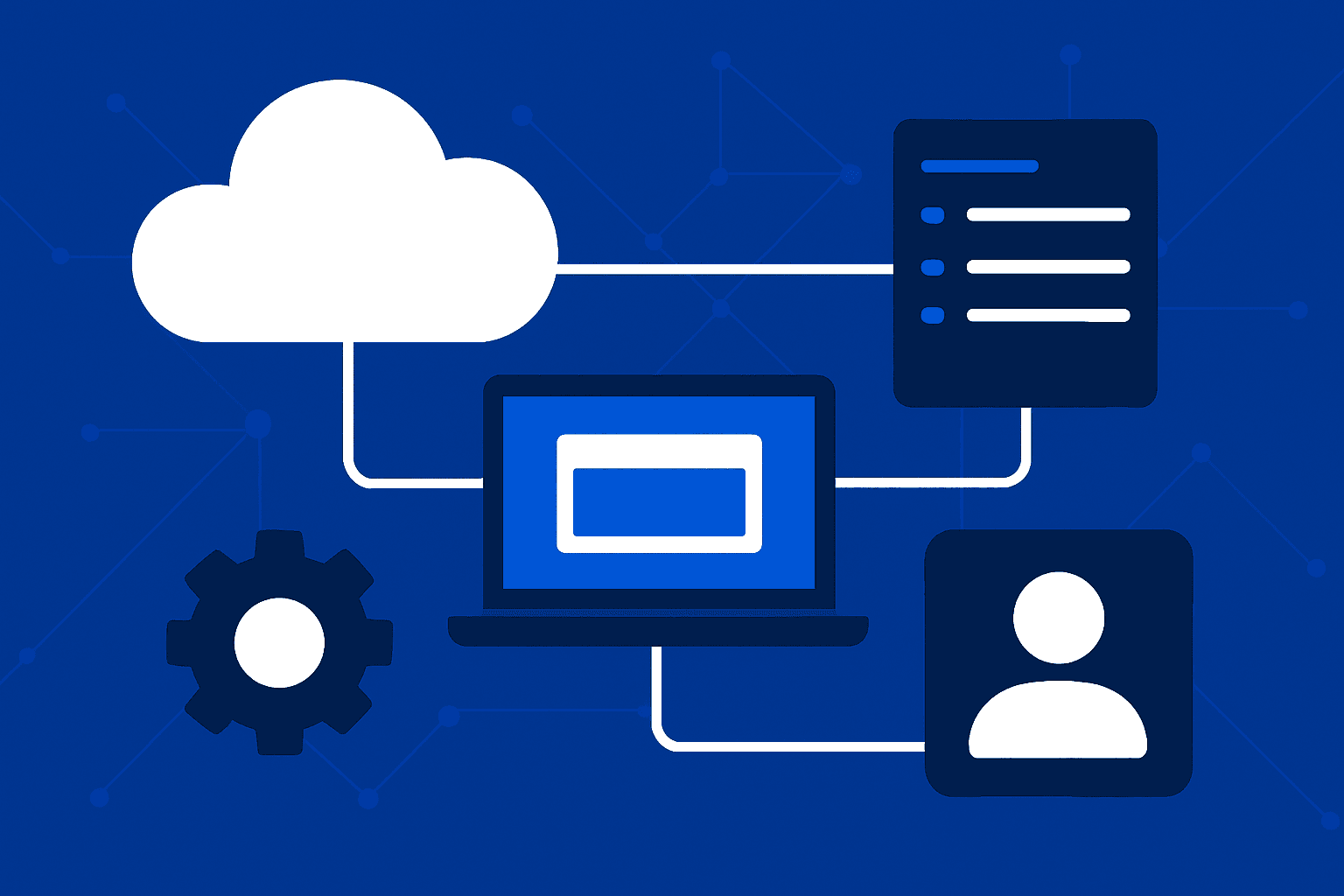
Tool integrations become hard to scale when an agent’s memory, execution environment, and user session are treated as the same thing. Sessionless agent patterns separate those concerns: an orchestrator carries the task state, models select from declared capabilities, and each tool executes where it is best suited,whether that is a cloud service, a managed browser, a desktop workspace, or a local container.
This approach is increasingly practical for teams building automation across cloud and desktop applications. The common ingredients are explicit agent loops, portable tool contracts, bounded execution environments, and durable state outside a long-lived chat thread. The result is not “stateless” in the sense of forgetting everything; it is sessionless in the sense that the system can resume work from recorded state without requiring one persistent conversational or desktop session to remain alive.
Sessionless agent patterns: the direct answer
Sessionless agent patterns use an external orchestrator to store task state, call a model, execute declared tools, and return tool results until work is complete. By keeping state and tool execution outside a persistent chat session, the same agent workflow can route actions to cloud APIs, hosted computer-use environments, managed desktops, or local MCP-compatible tools.
The pattern is useful when agents need to work across systems with different lifecycles. A cloud API request may finish in seconds, while a desktop workflow may need a visual check, a click, a file download, or a handoff for approval. Neither case requires the model to own a permanent session if the orchestrator can reconstruct the current task from durable records.
In practice, “sessionless” is a design choice rather than a claim that no state exists. A reliable implementation still needs task identifiers, tool inputs and outputs, authorization context, intermediate artifacts, retry status, and an audit trail. The key decision is where those assets live: in application-controlled workflow state rather than implicitly inside a continuing chat.
Why persistent chat sessions do not scale tool integrations cleanly
A persistent chat thread is convenient for a prototype. It can also become an unclear boundary for production automation. If a tool call fails, a desktop environment is recycled, or work moves to another worker, the team needs to know exactly what has happened and what should happen next without depending on hidden conversational context.
Tool-heavy workflows create several forms of state that deserve separate treatment:
Task state:
the goal, plan, completion criteria, dependencies, and approval checkpoints.
Reasoning continuity:
information the model needs to continue a multi-turn task efficiently.
Execution state:
the current browser, desktop, container, API job, or remote workspace status.
Business state:
records in systems of record, files, tickets, customer data, and access permissions.
Operational state:
retries, timeouts, traces, screenshots, tool logs, and failure classifications.
Conflating these categories makes recovery and governance harder. For example, a desktop task may need a fresh workspace after a failure, but the task itself can continue if the orchestrator knows which documents were created, which verification steps passed, and which step remains. Similarly, the model may need a concise previous result rather than an entire chat transcript.
OpenAI’s guidance for agents emphasizes an explicit loop: obtain model output, invoke tools, and feed results back to the model until the task is complete. That loop provides a natural home for externally managed state. The application can persist each turn and tool result, then resume the loop on another worker or at a later time.
OpenAI’s Responses API supports stateless tool-driven agents with computer use, web search, file search, and custom tools. Its documentation also notes that reasoning items can be reused across multi-turn conversations even when store is false. This is an important distinction for sessionless orchestration: a team can preserve useful reasoning continuity where supported while retaining control over application state and avoiding dependence on a permanently stored chat session.
Build the orchestrator loop before adding more tools
The orchestrator is the control plane of a sessionless agent architecture. It should not merely forward prompts. It should assemble the current task context, expose the relevant tools, validate requested actions, execute those actions in the appropriate environment, and decide whether the workflow should continue, pause, retry, escalate, or finish.
Use a durable task record
Start each job with a durable record that can survive model calls and worker changes. The precise storage technology is an implementation decision, but the record should make the workflow intelligible without reconstructing a lost conversation.
A stable task ID and parent workflow ID.
A plain-language objective and measurable completion criteria.
Authorized tools, scopes, and environment references.
Inputs, artifacts, and references to files or system records.
Completed actions, pending actions, and tool outputs.
Approval requirements and an execution log.
Do not put every raw artifact into the model context. A screenshot, a large file, and a long tool log may be better stored externally with references and purpose-specific summaries. File search and retrieval can then supply only what is needed for the next decision.
Run a controlled action cycle
Load the task record and determine the current objective.
Provide the model with the goal, necessary prior results, constraints, and an allowlisted tool surface.
Inspect the model output for a final response, a requested tool call, or a need for human review.
Validate tool arguments, authorization, policy constraints, and idempotency expectations.
Route the action to the correct cloud, desktop, or local execution environment.
Persist the result, including artifacts and observability data, then send a compact result back into the loop.
Stop only when the defined completion condition, escalation condition, or safe failure condition is met.
This architecture is more deliberate than a chat-first implementation, but that is its strength. A task can be interrupted after any recorded transition. The next invocation does not have to infer whether a click happened, whether a form was submitted, or whether a file was actually generated.
OpenAI’s agent-building material also emphasizes standardized tool definitions and notes that agents can serve as tools for other agents through a Manager Pattern. In a sessionless design, a coordinating agent can assign a bounded subtask to a specialist agent, record the result, and continue. The coordinator does not need to keep a subordinate agent alive as a permanent participant in one chat session.
Define portable tool contracts for cloud APIs and desktop actions
Scaling integrations is less about attaching an ever-growing catalog of tools than about making their contracts consistent. A model needs to know what a tool can do, what arguments it accepts, what it returns, and what constraints apply. Operators need the same clarity for monitoring, testing, and access control.
A portable tool contract should describe capabilities instead of exposing incidental infrastructure. For instance, “retrieve account status” is a business capability; the underlying execution might be a SaaS API today and a desktop application tomorrow. Separating the contract from the transport makes routing possible.
Design for a stable capability surface
Useful tool definitions have clear names, typed inputs, predictable outputs, explicit error categories, and tightly scoped permissions. They should also describe side effects. A tool that previews a report and a tool that publishes it should not look interchangeable merely because both accept a file identifier.
Recent benchmark work points in the same direction. MyPCBench evaluates computer-use agents on a Linux desktop with 17 simulated web applications and 184 tasks using a uniform computer-plus-bash tool surface. That does not prove that one interface is best for every organization, but it demonstrates why uniform surfaces matter: agents can operate across different tasks without relearning a wholly different execution vocabulary each time.
Anthropic’s computer-use documentation offers another concrete capability-oriented model. Its client-toolset approach uses one computer_toolset_20260801 entry with member tools such as screenshot, click, type, and zoom. The application executes those calls in an environment it controls. This keeps the model-facing interface focused on capabilities while allowing the deploying application to choose the environment and enforce controls.
Choose the right execution path
Tool routing is the practical complement to a standardized contract. The model may reason in a central service, while the orchestrator sends execution to the place that has the required access and interaction mode.
Direct API tools:
best when the target system provides a well-scoped, reliable interface for the requested action.
Search and file tools:
useful for finding grounded information and retrieving relevant documents without expanding every artifact into the prompt.
Hosted computer-use environments:
appropriate when a visual web or GUI interaction is required and the agent can work in an isolated remote environment.
Managed cloud desktops:
useful when the work requires desktop applications or an environment designed to be seen and operated like a human workspace.
Local or containerized tool servers:
useful when execution must occur near a controlled application, dataset, or development environment.
Direct MCP calls:
appropriate when an MCP-compatible integration can express the intended desktop or application action more directly than visual automation.
The important architectural rule is that routing should be explicit and observable. A workflow should record not only that a task succeeded, but whether it used an API, a remote computer, a local tool server, or a direct protocol call. That distinction affects latency, cost, troubleshooting, and security review.
Bridge cloud reasoning with desktop execution without binding work to a user session
Desktop automation is where sessionless design is often most valuable. A desktop is inherently stateful: windows move, pages render, applications prompt for input, and UI controls change. But a stateful execution environment does not require a stateful agent session.
OpenAI’s computer-use tool runs in an OpenAI-hosted environment and can expose screenshots for progress monitoring. Desktop use can be enabled with environment.desktop.enabled = true. This gives an orchestrator a way to combine cloud-based reasoning with GUI actions while keeping the desktop environment as a managed execution target rather than treating it as a user’s permanent interactive session.
A good workflow treats the desktop as replaceable infrastructure whenever possible. The task record holds the goal and evidence. The environment holds temporary execution context. If a workspace must be recreated, the orchestrator can rehydrate the necessary artifacts, authenticate through approved methods, and continue from a verified checkpoint.
Use visual automation only for genuinely visual work
Computer use is valuable when no suitable API exists, when the intended workflow is only available through an interface, or when the user experience itself must be checked. It is not automatically the best first choice for every operation. Direct integrations generally give clearer semantics and fewer opportunities for UI drift.
This limitation is reflected in current research. The 2026 Tactile paper argues that screenshot-coordinate clicking is a brittle motor layer for desktop use and proposes a more reliable desktop tool layer. In its reported macOSWorld setting, it reports Codex Success@100 improving from 41.1% to 50.0% overall. The broader lesson is architectural: when a stronger semantic interface is available, use it rather than forcing every action through pixels and coordinates.
A sessionless design can encode that preference in routing rules. For example, retrieve data through an approved API; use an MCP tool to trigger a desktop action when supported; reserve computer use for visual verification or workflows that cannot be expressed more directly. This avoids treating GUI automation as the universal integration layer.
Managed workspaces extend the pattern
AWS recommends computer-use agent patterns for practical automation and describes running tool servers in EC2, Lambda, or SageMaker notebooks to simulate UI environments. This is a cloud-native route to desktop-style work: the agent does not need access to an employee’s personal machine, and the execution environment can be provisioned around the task.
AWS announced general availability of Amazon WorkSpaces for AI agents in June 2026. AWS describes the service as a managed cloud workspace where agents can see screens and operate applications the way humans do, with pricing based on active session time. It also says the service supports any framework using Model Context Protocol and offers MCP tool forwarding, allowing agents to interact with the desktop OS through direct MCP calls instead of computer-use tools.
AWS states that this direct MCP approach improves accuracy, reduces latency, and lowers cost. The strategic point for builders is not that every workflow should use a managed workspace. It is that desktop execution can be treated as a provisioned capability with multiple interaction modes, rather than as an inseparable continuation of a chat session.
Use MCP and tool forwarding to avoid unnecessary GUI steps
Model Context Protocol compatibility is becoming relevant because it provides a shared way for frameworks and environments to expose tools. In a sessionless architecture, MCP-compatible interfaces can make a tool server or workspace endpoint discoverable and callable without rewriting the entire orchestration model for each target.
Tool forwarding means the central agent can decide on an action while a downstream environment executes it. The implementation might forward a request to a cloud-hosted desktop, a local server beside a business application, or a managed workspace with direct operating-system capabilities. The model remains focused on intent and decision-making; the execution adapter handles the specific environment.
Prefer the most direct authorized tool that expresses the intended outcome. Use GUI automation when the GUI is the necessary interface, not merely because it is available.
This principle improves more than reliability. It also makes policies easier to express. A direct tool can expose an operation such as “export approved report” with bounded inputs, while a generic click tool can only express low-level motor actions. Low-level tools remain important for legacy or visual systems, but they require stronger monitoring and narrower permissions.
Anthropic’s reference implementation for computer use includes a containerized environment, an agent loop, and a web interface. Its computer use capability is available through the Claude API and Google Cloud. That deployment model is useful for teams seeking reproducible execution: the desktop-like environment can be packaged and controlled independently of the agent’s conversation lifecycle.
For portability, avoid putting business logic inside a single desktop script or a provider-specific prompt. Keep the business workflow in the orchestrator, represent external operations as declarative tools, and attach execution adapters at the boundary. This reduces the work required to replace a hosted environment, move a tool server, or introduce a direct MCP route later.
Scale sessionless agent workflows with specialization, not uncontrolled autonomy
More tools and more agents do not automatically create a more capable system. They can create ambiguous ownership, duplicated actions, and difficult debugging. Scaling works better when a coordinator delegates narrow, verifiable work to specialists with limited capability sets.
The Manager Pattern described in OpenAI’s agent-building material fits this model. A manager agent or deterministic orchestrator can dispatch tasks to specialized agents, each exposed as a tool-like service with a defined input and output. The manager receives a result, records it, and decides the next transition.
Examples of bounded specialist roles
Research specialist:
uses web search and file search to return evidence relevant to a defined question.
API operations specialist:
performs allowlisted actions in cloud systems using structured tools.
Desktop operator:
completes a specific visual workflow in a controlled workspace and returns screenshots or artifacts.
Verification specialist:
checks whether outputs meet the task’s explicit completion criteria.
Recovery specialist:
classifies a failure and recommends a retry, environment reset, alternate route, or human escalation.
Each role should have a bounded mandate. A desktop operator should not silently broaden its task from “download the requested report” to “change account settings.” A verification agent should not assume a result is correct merely because a tool call returned without an error. Clear separation makes it possible to test, monitor, and restrict each component.
There is evidence that multi-agent computer use is an active research direction rather than a purely theoretical one. A 2026 paper reports improvements over strong single-agent baselines ranging from 3.4% to 25.5% on desktop and web benchmarks, and highlights better test-time scaling for long-horizon tasks. Those results are benchmark findings, not a guarantee for every production workflow. Still, they support evaluating coordination patterns where lengthy tasks can be decomposed and checked.
Production scale should also mean operational scale. Anthropic’s 2025 Economic Index analysis examined 500,000 coding-related interactions across Claude.ai and Claude Code, and described Claude Code as a specialist coding agent able to independently accomplish chains of complex tasks using digital tools. The relevant takeaway is that chained tool use is already a meaningful unit of analysis. Teams should therefore design traces, evaluation cases, and controls around complete tool sequences,not only around isolated prompts.
Engineer reliability, security, and recovery into the agent loop
Sessionless execution improves recoverability only when the workflow records enough evidence to resume safely. It does not eliminate the risks of an agent acting through tools. A visual action can affect the wrong window; an API action can be repeated; a desktop can display unexpected content; and an environment can expire in the middle of a task.
Build safeguards into the orchestrator rather than relying on model instructions alone:
Allowlist tools and operations:
expose only what the current task requires.
Validate arguments:
apply schemas, business rules, and target restrictions before execution.
Separate read and write capabilities:
use a higher bar for publishing, deleting, changing permissions, or external communication.
Require approval gates:
pause before consequential actions when human review is appropriate.
Use idempotency where possible:
prevent repeated requests from creating duplicate outcomes after a retry.
Capture evidence:
retain relevant tool outputs, identifiers, screenshots, and artifacts linked to the task record.
Set stop conditions:
cap loops, retries, and delegated work to avoid uncontrolled execution.
Environment isolation is equally important. A hosted computer-use environment, a managed workspace, or a containerized reference environment can create a clearer boundary than a general-purpose employee desktop. The right choice depends on the application and access requirements, but the architectural objective is consistent: grant the task the minimum necessary environment and credentials, then dispose of or reset that environment according to policy.
Measure reliability at the workflow level. A tool may technically return success while the broader task remains incomplete. Define completion checks such as a created artifact, a confirmed system status, or a visual verification step. Also classify failures: invalid request, authorization issue, tool outage, changed interface, ambiguous result, or blocked approval. Classification makes retries more disciplined than simply asking the model to “try again.”
Finally, preserve a human-readable audit trail. A reviewer should be able to answer: what was the goal, what tools were available, what actions were requested, what environment executed them, what evidence was returned, and why the workflow stopped. That level of traceability is particularly important when cloud reasoning and desktop execution are separated across multiple systems.
Plan a migration from session-bound assistants to tool-driven orchestration
Teams standardizing their integration architecture should account for platform direction. OpenAI has publicly stated that the Assistants API is deprecated and will be removed in August 2026, directing developers toward the Responses API, tools, and Agents SDK. For teams with session-bound assistant implementations, this is a concrete reason to inventory dependencies and move business-critical workflows toward explicit tool-driven patterns.
A migration does not need to be a rewrite of every prompt. Begin by identifying where behavior currently depends on an implicit thread or assistant session. Then make those dependencies explicit in the task record, tool definitions, and orchestration code.
Map the current workflow:
list data sources, tools, approvals, desktop dependencies, and final completion evidence.
Externalize state:
create durable records for task context, tool results, artifacts, and status transitions.
Standardize tool contracts:
define inputs, outputs, error handling, side effects, and permissions for each capability.
Introduce an explicit loop:
make model invocation, tool execution, result persistence, and stop conditions visible in application code.
Route execution deliberately:
select API, search, file retrieval, hosted computer use, managed workspace, MCP forwarding, or local container execution based on the task.
Evaluate recovery paths:
test expired workspaces, failed calls, changed UI elements, duplicate retries, and approval pauses.
Expand gradually:
begin with read-oriented or reversible tasks before enabling broader write actions.
OpenAI’s announcement of new tools for building agents describes the Responses API as supporting built-in web search, file search, and computer use, and says developers can build agents that complete computer tasks with the CUA model used by Operator. Together with custom tools, that gives teams a practical menu of execution modes. The architectural work lies in selecting and governing those modes, not simply enabling all of them.
Sessionless agent patterns are a way to make tool-using agents more portable and operable across cloud services and desktop environments. Keep the durable truth of the workflow in an orchestrator, expose standardized capabilities, route work to the most direct authorized execution path, and treat desktop sessions as managed resources rather than the agent’s memory.
Start with one workflow that currently depends on a persistent chat or desktop session. Define its task record, tool contracts, checkpoints, and recovery rules. Once that loop is explicit, you can add web search, file search, custom APIs, computer use, MCP-compatible tools, or specialized sub-agents without making a single session the fragile center of the system.